How to Create Social Media Posts with AI (A 2026 Playbook)
A practical, step-by-step playbook for creating social media posts with AI — from prompt to published. Frameworks, examples, and pitfalls to avoid.
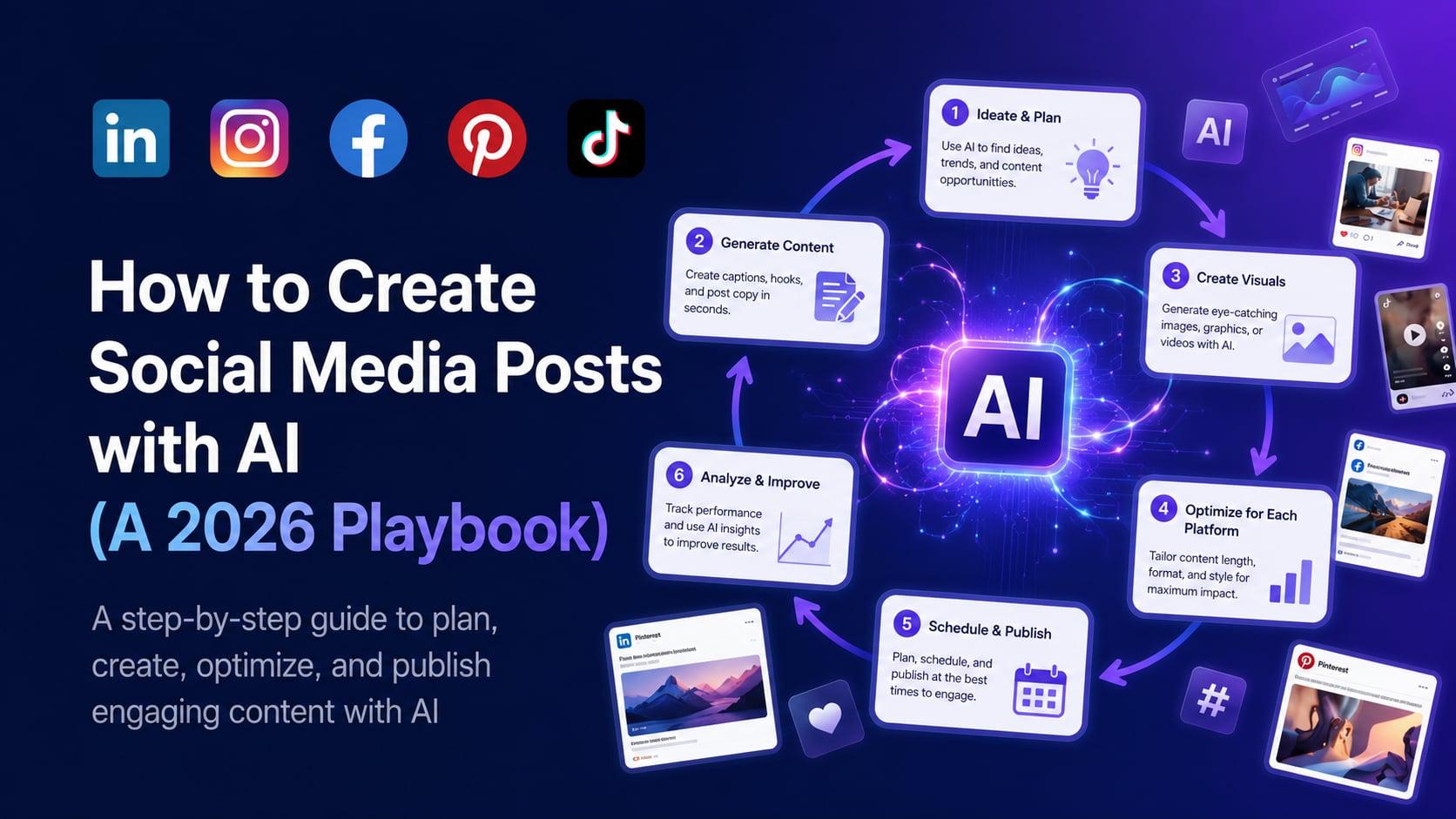
Most "how to use AI for social media" guides are written by people who have not actually run a social account. They focus on prompt tricks, not the actual workflow of getting a post live. This guide is different. It walks through the exact sequence we recommend — and use ourselves — to create social media posts with AI, from the first idea to the published post.
If you follow this playbook, you should be able to generate, edit, and schedule a week of social posts in under 60 minutes.
Step 1: Decide what you are posting about, not what you are posting
This is the biggest mistake people make with AI tools. They open a generator and immediately ask for "a LinkedIn post about productivity." That is too vague to produce anything good.
Before you touch any AI tool, write down:
- The audience. Who specifically reads this? Founders? Marketers? Designers? Engineers?
- The angle. What is the one thing you want them to take away?
- The proof. What real example, data point, or experience supports the angle?
Without these three, even the best AI generator will give you forgettable content. With them, even a mediocre tool produces something worth posting.
Example:
Bad: "Write a LinkedIn post about productivity."
Good: "Write a LinkedIn post for early-stage SaaS founders about why their morning routine is probably killing their best work. Specifically: most founders schedule 'deep work' in the morning, but actually do email and Slack first. Use the personal example that I write before 9 AM only when I close Slack the night before."
Step 2: Pick the right AI tool for the platform
Not all AI generators are equal across platforms. The structural differences between LinkedIn, Instagram, TikTok, Facebook, and Pinterest mean that a tool tuned for one will produce mediocre output for another.
- For LinkedIn: use a tool that respects the hook-first structure, the optimal length range (1300-1900 chars), and the line-break style that makes posts scannable. aipost.social's LinkedIn generator is built for this specifically.
- For Instagram: use a tool that handles caption-plus-hashtag together, with hashtag tiering by reach. Try the Instagram caption generator.
- For TikTok: use a tool that thinks in 15s / 30s / 60s scripts with hook-first structure. TikTok script generator.
- For Facebook: use a tool that distinguishes Page from Group, broadcast from discussion. Facebook post generator.
- For Pinterest: use a tool that treats Pinterest as the search engine it is, with keyword-researched descriptions and vertical pin images. Pinterest pin generator.
A general-purpose chatbot will technically write you a post for any platform. It will rarely write a good one.
Step 3: Feed the tool the audience, angle, and proof
Drop your work from Step 1 directly into the AI tool. If the tool has a "tone" or "audience" field, use it. If it has "brand voice" training, train it on your past posts before you generate.
A common mistake: rewriting your Step 1 notes into a single paragraph for the AI. Don't. Use clear bullet points. The AI parses bullets more reliably than prose.
Step 4: Generate three to five variations
Never use the first AI output. Always generate at least three variants. Top-tier tools have a "regenerate" or "more variations" button — use it.
Why three to five and not ten? Diminishing returns. After five attempts, the AI starts cycling. The best output is usually variant 2, 3, or 4.
Step 5: Edit ruthlessly
This is where 90% of the work happens, and where 90% of users stop. The AI gives you a draft. Your job is to make it sound like you wrote it.
Edit for:
- Hook strength. Does the first line earn the second line?
- Specificity. Replace generic phrases with concrete examples. "Many founders" becomes "the three founders I coached this month."
- Voice consistency. Does this sound like the things you actually say?
- Length. AI loves to over-write. Cut 20% of the words. Then cut 20% more.
- CTA. Replace any version of "What are your thoughts?" with something real — a specific question, a take, or a direct ask.
If you skip this step, your audience can tell. Every time.
Step 6: Add a personal anchor
The single biggest tell that a post was written by AI is the absence of a specific personal moment. Add one. It can be small:
- "Yesterday, on a call with..."
- "When I shipped my first feature in 2019..."
- "A founder I work with messaged me this morning..."
Even a one-sentence personal anchor transforms an AI-drafted post into one that reads as genuinely human. This is the single highest-leverage edit you can make.
Step 7: Generate the visual
If your post needs an image, video, or carousel, generate it now. The best AI social tools do this in the same workflow as the text. Aim for visual consistency across your posts — recurring color palette, recurring character, recurring layout. Consistency builds recognition.
For carousels specifically, generate the whole set in one pass rather than slide by slide — that is what keeps the design coherent from first slide to last. Slide limits differ by platform (Instagram takes 2-10, LinkedIn up to 20, Pinterest only 5), so it is worth knowing where a set will land before you build it; this guide covers the details.
One thing to check on whichever tool you use: whether posting the same media to a second platform costs you a second generation. It should not — a vertical video is the same file on Instagram, TikTok and Pinterest. What AI social content actually costs per platform breaks down the difference between per-platform and per-generation billing.
For Instagram and Pinterest, the visual is often more important than the caption. Spend the time.
Step 8: Hashtag and keyword research
Different platforms reward different hashtag strategies:
- LinkedIn: 3-5 hashtags. Mix of broad and niche. Place at the end.
- Instagram: 20-30 hashtags. Tiered (broad, mid, niche). Place in first comment or in the caption — both work.
- TikTok: 3-5 hashtags. Mix of one trending hashtag, one niche, and one branded.
- Facebook: 1-3 hashtags. Hashtags are weak on Facebook; do not overdo it.
- Pinterest: Hashtags are deprecated. Use keyword-rich descriptions instead.
A good AI hashtag tool will tell you the current volume and competition for each suggestion. If it just lists hashtags without data, it is guessing.
Step 9: Schedule, do not publish
Manually publishing is fine for one or two posts. For a real cadence, schedule. AI-driven schedulers (built into aipost.social and most modern social tools) pick the best posting time for your audience automatically.
A 2026 stat worth remembering: scheduled posts published at the algorithm-optimal time get an average of 40% more reach than the same post published at a random time.
Step 10: Review the analytics, refine the prompts
After a post is live, look at the data. Did the hook land? Did the CTA generate the response you wanted? Did the platform-suggested-hashtag drive any impressions?
Feed this feedback back into your prompts. Over time, your prompts get sharper, your AI outputs get better, and the editing pass gets shorter.
A complete worked example
Let us walk through a full cycle using these steps for a LinkedIn post.
Step 1 (Audience, angle, proof):
- Audience: B2B sales reps using Salesforce
- Angle: Most reps waste an hour a day on note-taking that AI could automate
- Proof: I tracked my own note-taking time for two weeks before/after switching to an AI note-taker
Step 2 (Tool): LinkedIn post generator, tuned for B2B founders/sales
Step 3 (Input to AI):
- Audience: B2B sales reps using Salesforce
- Angle: AI note-taking saves an hour a day
- Proof: I tracked my own time. Went from 7.5 hours/week of note-taking to 1.5 hours/week.
- Tone: Direct, evidence-based, no fluff
Step 4 (Generate variants): Three drafts. Pick variant 2 as the strongest hook.
Step 5 (Edit): Cut the opening "In today's competitive sales environment." Replace with the direct stat: "I was spending 7.5 hours a week typing meeting notes. Now I spend 1.5." Cut the closing "What about you?" — replace with "If you are a Salesforce rep and your notes still get typed manually in 2026, you are competing with one hand tied behind your back."
Step 6 (Personal anchor): "I started tracking this after a prospect missed a follow-up because my notes were buried in a Google Doc."
Step 7 (Visual): Not needed; text-only LinkedIn post.
Step 8 (Hashtags): #sales #salesforce #aitools — three hashtags, end of post.
Step 9 (Schedule): Queued for Tuesday at 8:15 AM local time of target audience (US East Coast).
Step 10 (Analytics, day 3): 12,000 impressions, 84 comments, 23 DMs. Hook landed. CTA generated 23 inbound conversations.
Total time invested: 17 minutes (mostly Step 5 editing).
Common pitfalls
A few mistakes worth avoiding:
- Using AI to write things you do not understand. AI cannot fact-check itself. If you generate a post about a topic you are not deeply familiar with, you will publish something subtly wrong.
- Posting the AI draft as-is. Always edit. Always.
- Letting the AI generate the strategy. AI is great at execution within a strategy. It is poor at choosing a strategy. The angle, the audience, the brand voice — those should be human decisions.
- Skipping the visual. Text-only posts work on LinkedIn. Everywhere else, the visual matters more than the words.
- Over-relying on hashtag suggestions. Hashtag generators get lazy. Validate at least one or two against actual platform search.
Where AI gets you the most leverage
Across all the social media operators we work with, the highest-leverage AI use cases are consistent:
- First-draft generation. Eliminates the blank-page problem.
- Visual generation. Eliminates the "I need a designer" problem.
- Repurposing across platforms. Turns one piece of source content into five posts.
- Brand voice training. Once trained, every future draft starts 80% closer to "ready to post."
- Scheduling and analytics narration. Removes the manual rhythm work.
If you nail those five, AI takes you from posting twice a month to posting daily — with the same time investment.
Try it now
aipost.social handles all 10 steps in one workflow. Try the live generator on the homepage with no signup required, or request a demo for a full walkthrough.
Generate your own AI social media posts
aipost.social writes posts for LinkedIn, Instagram, Facebook, TikTok and Pinterest in seconds. Try the live demo — no signup required.
Try the live demo